ArcGIS Field Maps alternative
Geocadra vs ArcGIS Field Maps
Field inspections without web maps, user types or ArcGIS Pro. Your client logs in for free, and the report and the DXF come from the same data.
The verdict
Geocadra vs ArcGIS Field Maps in short
ArcGIS Field Maps is the stronger choice inside an Esri organization with GIS staff. Geocadra fits better when nobody on the team builds web maps, clients need to log in, and the deliverable is a report and a DXF rather than a hosted layer.
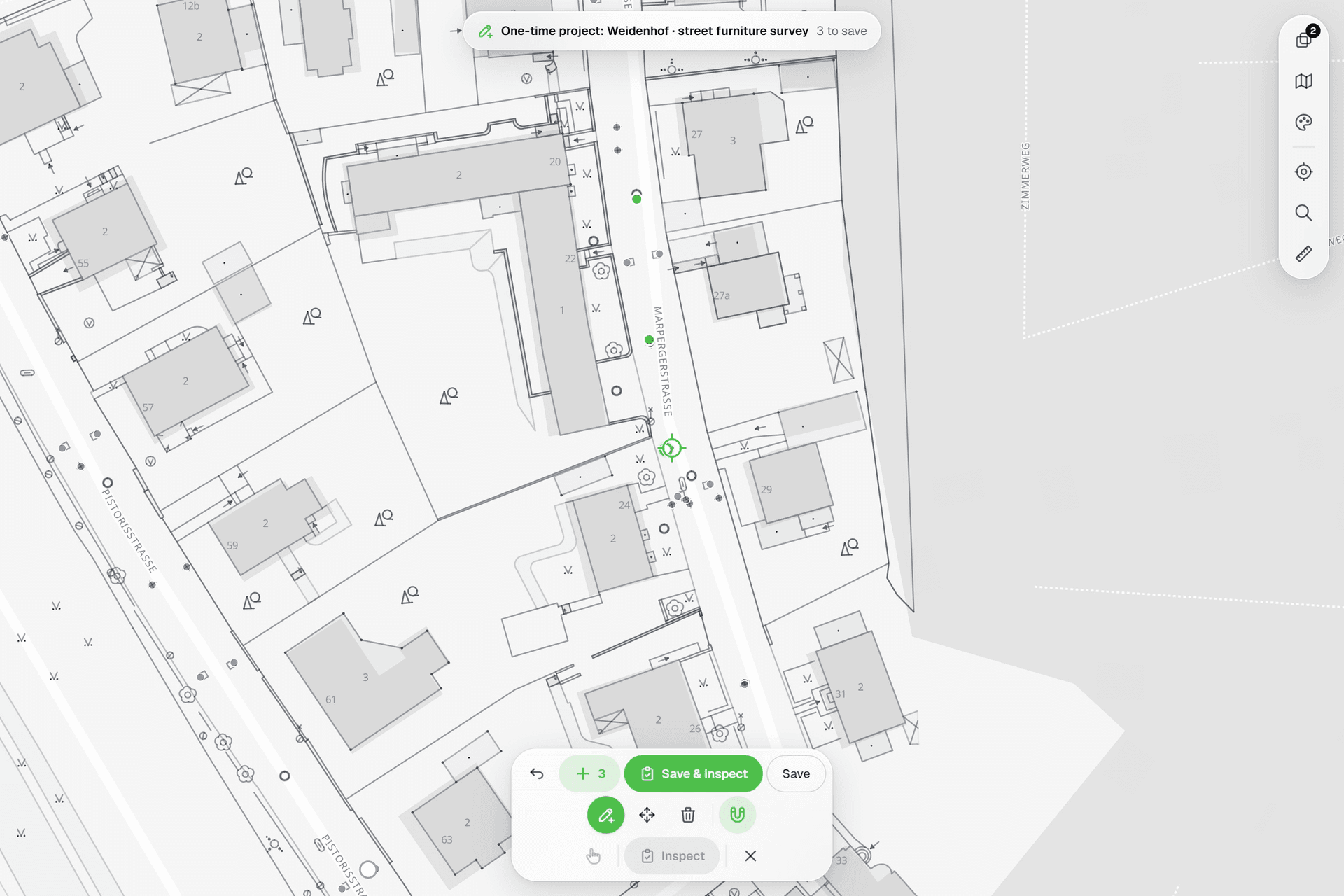
Field Maps is a powerful app on top of ArcGIS Online, and it assumes the platform behind it: a Creator to set up the organization, web maps and layers, licensed users for everyone who collects or looks, and ArcGIS Pro for anything CAD. Geocadra puts the round in one place. Import the layers, build the form in the browser, invite the crew and the client. The report and the DXF drawing are built from the inspections, and the data goes back to ArcGIS as Shapefile or GeoPackage when you need it there.
Side by side
Geocadra vs ArcGIS Field Maps, feature by feature
| Feature | Geocadra | ArcGIS Field Maps | |
|---|---|---|---|
| A separate workspace per client | Yes | Partly | Groups in one organization, or an organization per client with its own Creator |
| Free logins for your clients | Yes | No | Viewer licence €174 a year (Germany) |
| No GIS specialist needed | Yes | No | Layers, web maps and forms are prepared in ArcGIS |
| Capture on a map over aerials | Yes | Yes | |
| Your client's DXF or DWG on the map | Yes | Desktop only | ArcGIS Pro reads DWG and DXF; ArcGIS Online stores CAD only as a file |
| Forms with formulas and conditional questions | Yes | Yes | Arcade expressions for calculated, conditional and required fields |
| Photos stored with the record | Yes | Yes | |
| Every inspection kept, with who and when | Yes | Partly | Editor tracking: creator, last editor and dates |
| PDF reports built from the data | Yes | Partly | Through Survey123 feature reports from Word templates |
| CAD drawing (DXF) export | Pro and up | Desktop only | Not from ArcGIS Online; ArcGIS Pro exports CAD |
| Shapefile, GeoPackage and GeoJSON export | Yes | Yes | Both export Shapefile, GeoPackage and GeoJSON |
| Capture without signal | Yes | Yes | Field Maps: from the Mobile Worker licence up; Geocadra: in the mobile apps |
| Mobile apps | iOS and Android | iOS and Android | Both: iOS and Android |
| Projects, photos and files stored in the EU | Yes | Partly | EU region chosen at setup; sign-in is processed in the US |
The ArcGIS Field Maps column was checked on October 12, 2026 against its public pages: pricing, organizations, data hosting, exports, offline use, forms.
In Geocadra, your projects, photos and files are stored in Frankfurt, Germany. AI features are processed by providers in the US.
Why switch
Why teams choose Geocadra over ArcGIS Field Maps
Set up by the people who do the work
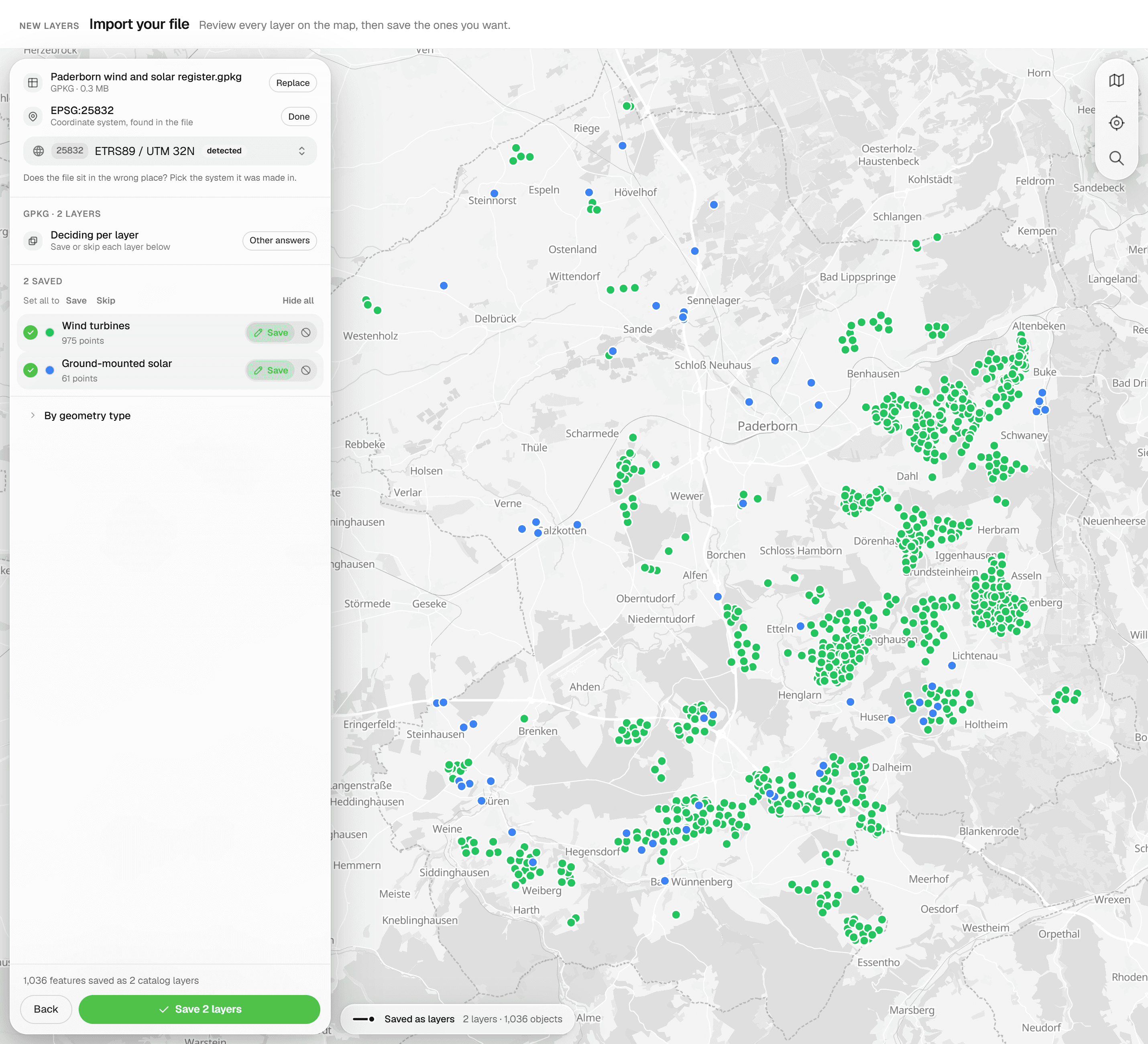
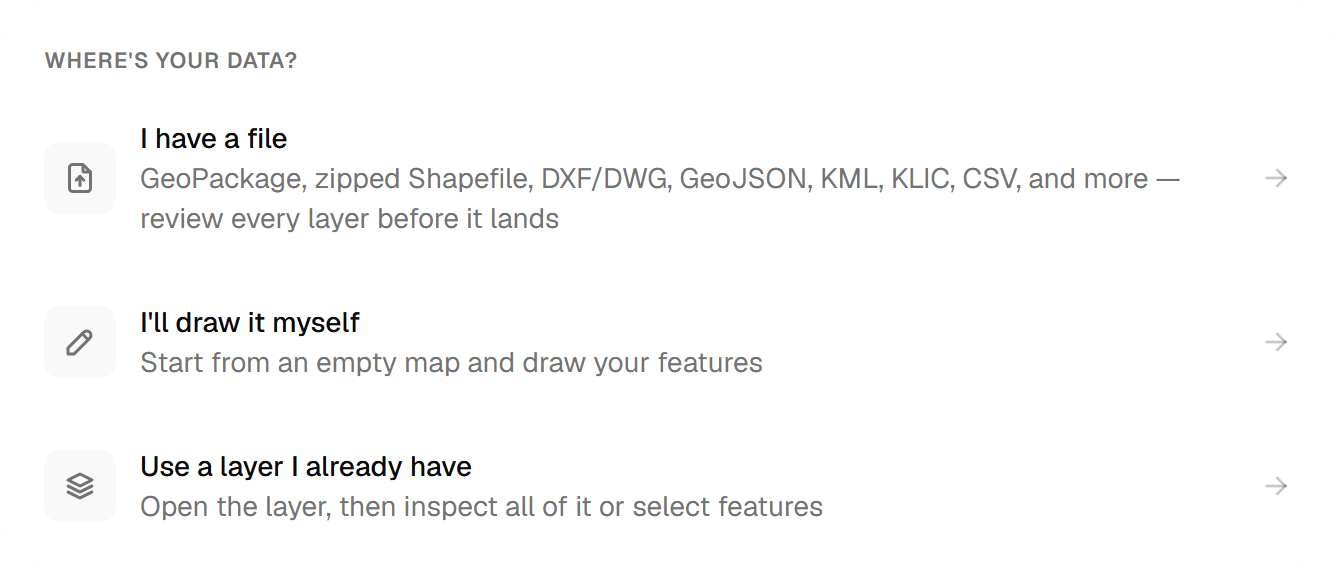
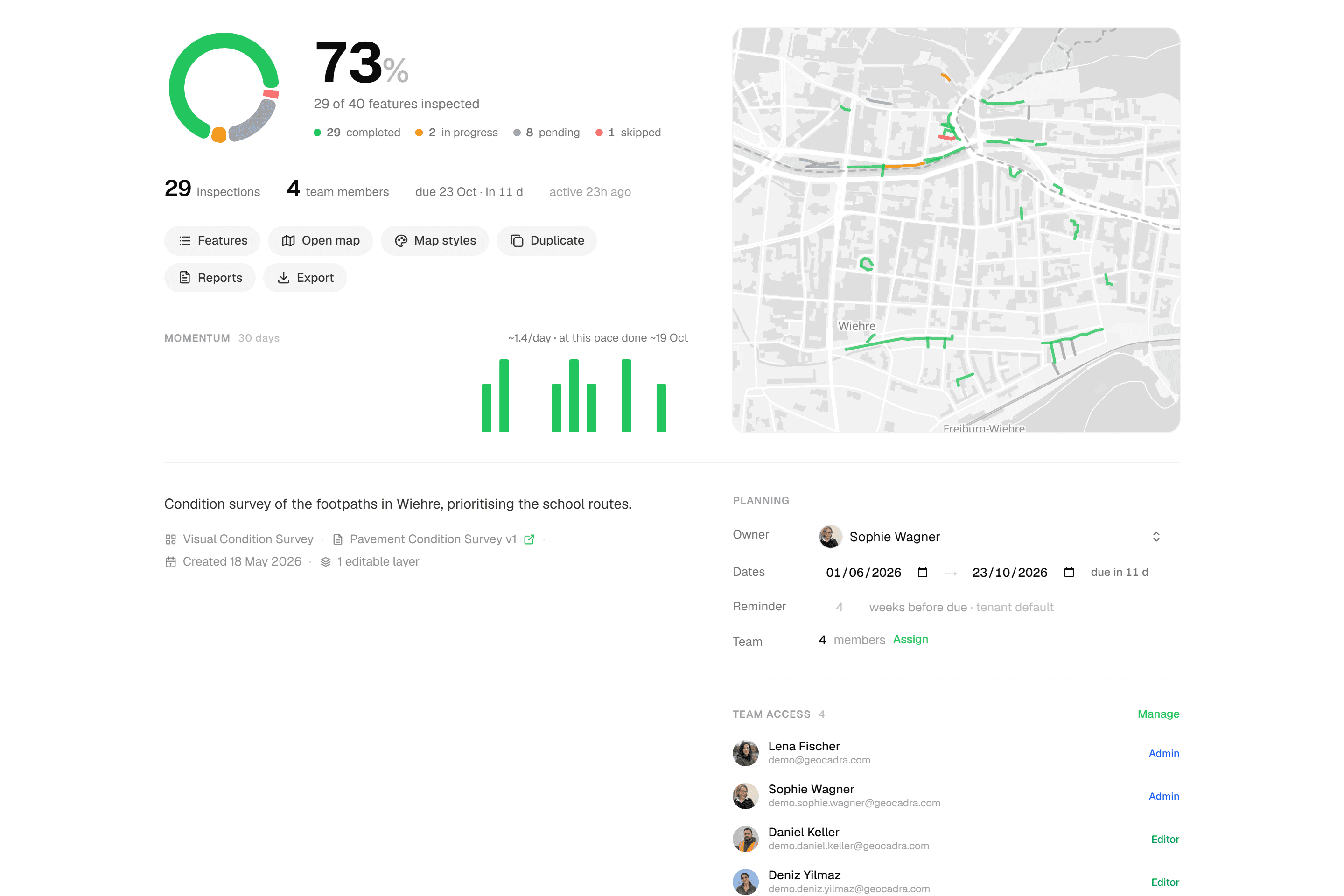
A Field Maps project starts in ArcGIS: hosted layers, a web map, a form in Field Maps Designer, offline areas, user types and sharing. That is work for someone who knows ArcGIS. In Geocadra you import the layer you inspect, build the form with conditional questions and computed fields, and invite the crew. The project overview tracks progress from the first submission.
02Clients log in for free
Every ArcGIS Online login is a licensed user: a Viewer costs €174 a year in Germany, and starting an organization needs a Creator at €1,118. In Geocadra a client contact is a viewer at no cost, 2 to 10 per paid seat depending on the plan. They see only their own organization, follow the map and download the report themselves.
03CAD without ArcGIS Pro
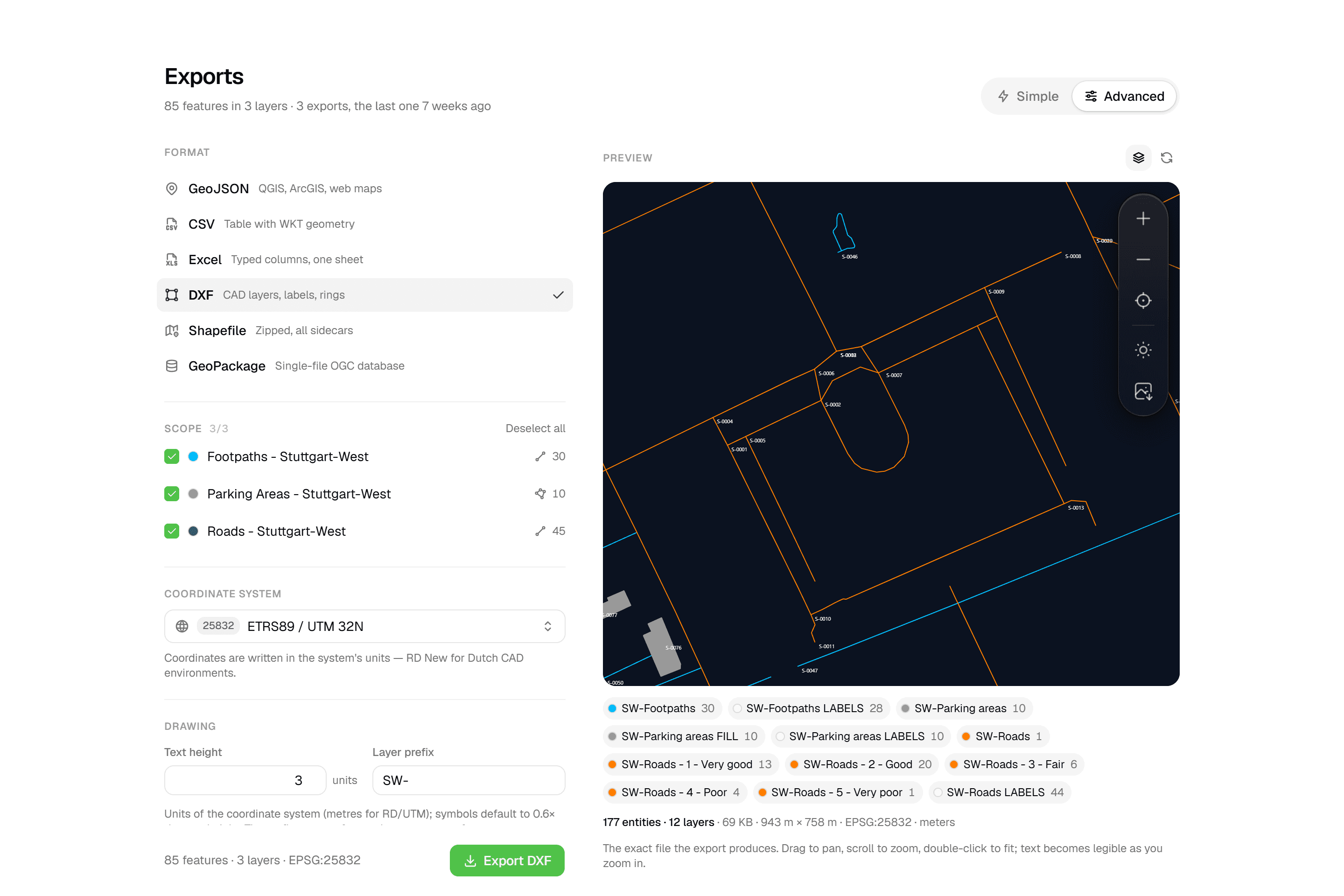
ArcGIS Online stores a DWG only as a file, and it does not export DXF. That work happens in ArcGIS Pro on the desktop. Geocadra puts your client's DXF or DWG on the project map in the browser, as a reference to snap to, and exports a layered DXF with labels, rings and fills, previewed before download (Pro and up).
04Reports without Word templates or credits
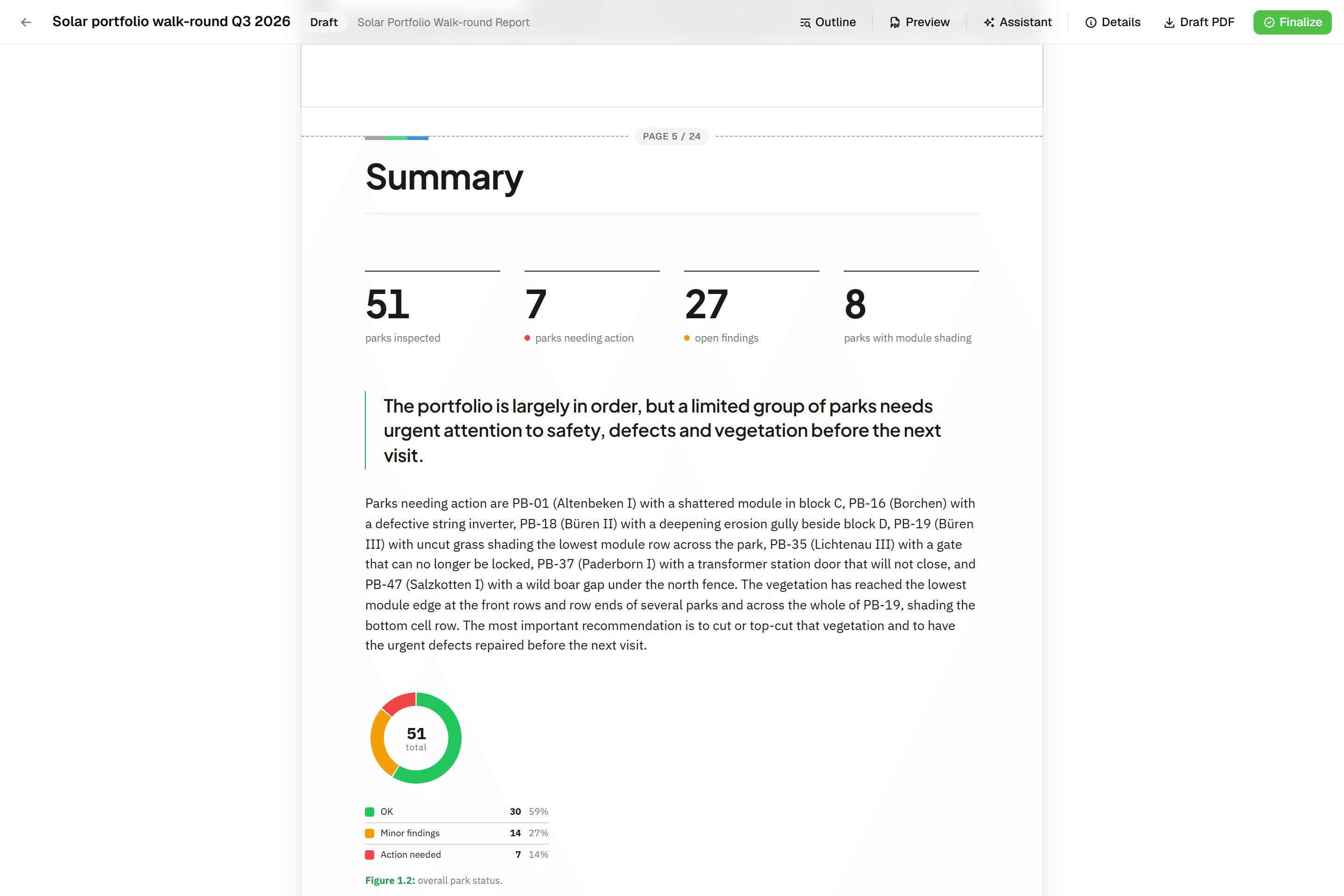
In ArcGIS, inspection reports usually come from Survey123 feature reports: a Word template with placeholders, at 0.5 credits per record in ArcGIS Online. A Geocadra report is built from blocks that read the inspections: data tables, photo appendices and map figures at a fixed scale. It finalises to a PDF with real page numbers, on every plan.
05Every round stays on the asset
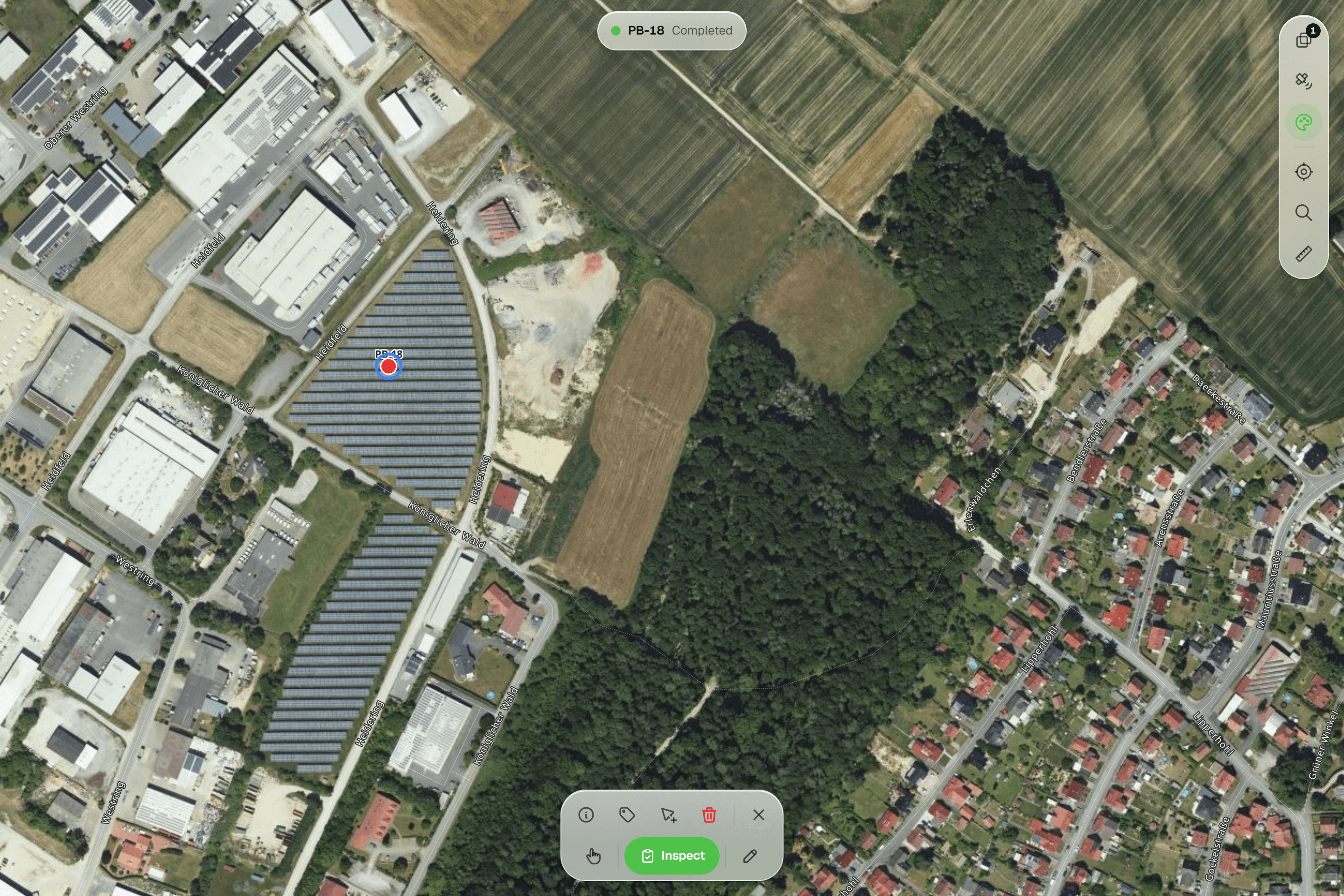
ArcGIS editor tracking records who created a feature and who edited it last. In Geocadra every inspection is a new record on the asset, never overwritten, with who and when. The history follows each field across rounds, so last year's condition score is still there when this year's comes in.
Fair to say
What ArcGIS Field Maps does well
ArcGIS Field Maps is Esri's mobile app for map-based data collection, which replaced Collector, Explorer and Tracker. It runs on iOS and Android, works offline with prepared map areas, supports external GNSS receivers, and its forms take Arcade expressions for calculated, conditional and required fields. It lives inside ArcGIS Online or ArcGIS Enterprise, where layers, maps, users and sharing are managed, and where the rest of Esri's platform, from dashboards to ArcGIS Pro, is one step away. For organizations that already run on Esri, that integration is its biggest strength.
- Made by
- Esri, United States
- Runs on
- iOS and Android, on ArcGIS Online or Enterprise
- Pricing
- From €620 per field user a year (Germany)
- Data hosting
- US, EU or Asia-Pacific region, chosen at setup
The reality
Where ArcGIS Field Maps gets in the way
What a contractor runs into when client rounds run on it.
A licence for everyone who looks
Viewers, field users and the person who sets it up each need a user type, renewed every year.
Client logins are free on every plan.
Setup needs ArcGIS skills
Hosted layers, web maps, forms, offline areas and sharing are configured in ArcGIS. Without GIS staff, that means training or a consultant.
Set up in the browser by your team.
CAD work moves to the desktop
DXF export and working with DWG drawings happen in ArcGIS Pro, not in the browser or the app.
DXF and DWG right in the browser.
Reports are a separate project
Feature reports need a Word template, and in ArcGIS Online each generated record costs credits.
Reports on every plan, without credits.
In practice
ArcGIS Field Maps and Geocadra on the same job
- With ArcGIS Field Maps
- €4,718 a year
- With Geocadra
- €3,960 a year
1 Creator, 3 Mobile Workers, 10 Viewers
4 seats on Pro, 16 client logins free
Inspection firm with ten client contacts
Four inspectors check bridges and retaining walls for two municipalities. Ten people at the clients want to follow progress and download reports.
With ArcGIS Field MapsOne Creator who also collects (€1,118), three Mobile Workers (€620 each) and ten Viewers (€174 each): €4,718 a year at German list prices. DXF drawings are made in ArcGIS Pro; reports come from Survey123 at 0.5 credits per record.
With GeocadraFour seats on Pro at €990 a year each: €3,960, with 16 free viewer logins, 10 client organizations, reports and DXF export included. The ten contacts each see only their own municipality.
- With ArcGIS Field Maps
- €3,720
- With Geocadra
- €1,782
6 Mobile Worker licences, sold per year
6 Pro seats for 3 months
Consultancy with a summer crew
An ecology consultancy adds six field staff for a three-month survey season.
With ArcGIS Field MapsSix more Mobile Worker licences, sold per year at €620 each: €3,720 for three months of fieldwork, or licences reassigned by an administrator between seasons.
With GeocadraSix seats on Pro, billed monthly at €99, for the three months: €1,782. Add them to the season's project only, and remove them when it ends.
Decision guide
Geocadra or ArcGIS Field Maps?
Choose Geocadra if you…
- Have no GIS specialist to build web maps and forms
- Want clients to log in without a licence
- Deliver PDF reports and DXF drawings
- Need every inspection kept on the asset
Choose ArcGIS Field Maps if you…
- Already run your organization on ArcGIS
- Need survey-grade GNSS receivers or large offline areas
- Have GIS staff for setup, analysis and dashboards
Pricing
ArcGIS Field Maps pricing vs Geocadra
ArcGIS Online is licensed per user and per year. Prices below are Esri's list prices for Germany, excluding VAT.
- Geocadra
From €49 per seat a month
- Client viewers free: 2 to 10 per seat
- Reports and DXF export included (DXF from Pro)
- 2 months free on annual billing
- ArcGIS Field Maps
From €620 per field user a year
- A Creator licence, €1,118 a year, to set up the organization
- Viewers licensed at €174 a year each
- Survey123 reports at 0.5 credits per record
Switching
Using Geocadra next to ArcGIS
Export the layer you inspect from ArcGIS Online or ArcGIS Pro as GeoPackage or Shapefile and import it: Geocadra previews it on the map with its coordinate system before anything is saved. Rebuild the form in the form editor, run the round, and export the result back to ArcGIS when the analysis starts. We help with the first project at no cost.
Questions
Geocadra vs ArcGIS Field Maps: questions
Can Geocadra replace ArcGIS Field Maps?
For client inspection rounds, yes: capture on the map, forms with conditional questions, photos, every inspection on record, reports and DXF export, with free client logins. For spatial analysis, dashboards and an organization-wide GIS, ArcGIS remains the stronger tool, and many teams use both.
Does Geocadra work with ArcGIS?
Yes, through files. Geocadra exports Shapefile, GeoPackage and GeoJSON, which ArcGIS Pro and ArcGIS Online read directly, and imports the same formats from ArcGIS. There is no live connection to ArcGIS feature services.
Which ArcGIS licences does a field team need?
A Creator (or higher) to start the organization and publish layers, a Mobile Worker for each person who edits in Field Maps and works offline, and a Viewer for each person who only looks. A Contributor can view in Field Maps but needs an add-on to edit there. In Geocadra a team member uses a seat and a client viewer does not.
Does Geocadra work offline like Field Maps?
Yes, in the mobile app. It saves inspections and photos on the device without signal and sends them when it is back. The web app needs a connection. For full days in large prepared offline areas, Field Maps is the stronger choice today.
Can I use my client's CAD drawings?
Yes, in the browser. Drop a DXF or DWG on the project map: linework and texts become a reference to snap to, and point layers can become features to inspect. The DXF export can carry the drawing along with your data. In ArcGIS this work is done in ArcGIS Pro.
Where is the data stored?
Geocadra is run from Amsterdam. On every plan, your projects, photos and files are stored in Frankfurt, Germany, and AI features are processed by providers in the US. ArcGIS Online offers an EU region that is chosen when the organization is created; Esri notes that sign-in is processed in the US.
How accurate is positioning?
Geocadra places points with a crosshair against the aerial photo or the client's drawing, and the mobile app can follow your GPS position. For survey-grade GNSS receivers connected to the app, Field Maps is the better fit.
See Geocadra next to ArcGIS Field Maps
Run one real round in Geocadra during the 14-day trial and compare for yourself. No credit card needed.
No credit card requiredFree trial included