



Excel alternative
Geocadra vs Excel
Keep the spreadsheet for analysis. Move the round itself onto a map, with forms, photos and a report that builds itself.
The verdict
Geocadra vs Excel in short
Excel is a fine place to analyse inspection data and a poor place to collect it. Geocadra collects on a map with validated forms and photos on the record, edits like a spreadsheet, and still hands you an .xlsx.
Most inspection rounds start as a spreadsheet: one row per asset, a column per question, a folder of photos beside it. It works until two people edit it, photos have to be matched to rows, and the client wants a report and a drawing. Geocadra keeps what you like about the spreadsheet, the grid view pastes straight from Excel, and adds the map, the forms, the photos and the report.
Side by side
Geocadra vs Excel, feature by feature
| Feature | Geocadra | Excel | |
|---|---|---|---|
| A separate workspace per client | Yes | By hand | A file or folder per client, managed by hand |
| Capture on a map over aerials | Yes | No | Coordinates are columns; Excel has no map for field work |
| Forms with formulas and conditional questions | Yes | Partly | Data validation lists in cells; Microsoft Forms is a separate tool |
| Required fields checked before submit | Yes | Partly | Validation rules per cell can be set; nothing stops a half-filled row |
| Photos stored with the record | Yes | Partly | Pictures can be placed in cells; matching them to rows is manual |
| Every inspection kept, with who and when | Yes | Partly | Version history of the whole file in OneDrive or SharePoint |
| Spreadsheet editing | Yes | Yes | Both: Geocadra's grid pastes from Excel and keeps a version per row |
| One live copy for the whole team | Yes | Partly | Co-authoring needs OneDrive or SharePoint and a connection |
| PDF reports built from the data | Yes | By hand | Reports are written separately, usually in Word |
| CAD drawing (DXF) export | Pro and up | No | Excel does not write CAD drawings |
| Capture without signal | Yes | Yes | Both work offline; Geocadra in its mobile apps |
| Mobile apps | iOS and Android | iOS and Android | Both: iOS and Android apps |
The Excel column was checked on October 12, 2026 against its public pages: co-authoring, pictures in cells.
Why switch
Why teams choose Geocadra over Excel
The asset is on the map, not in row 214
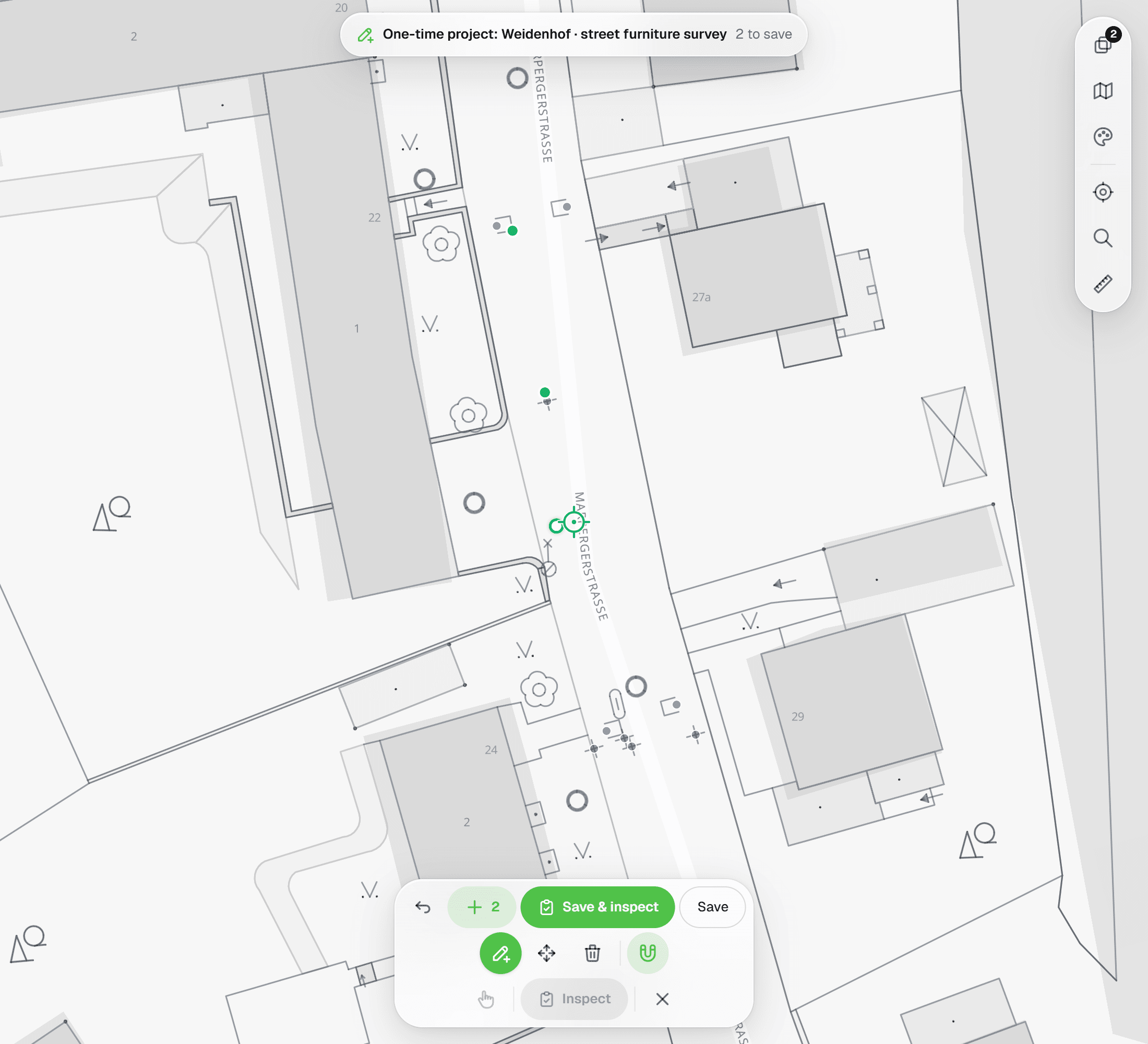
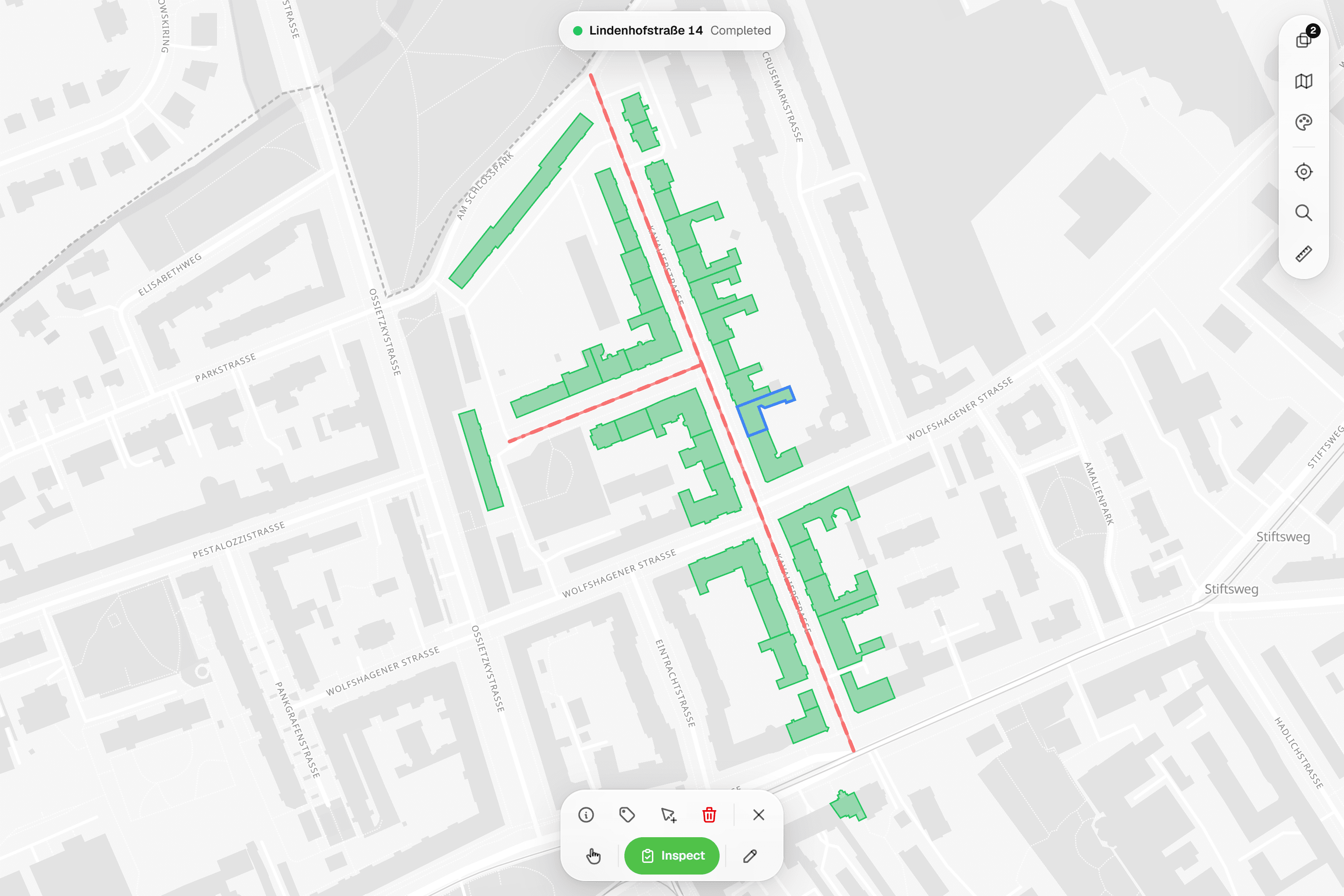
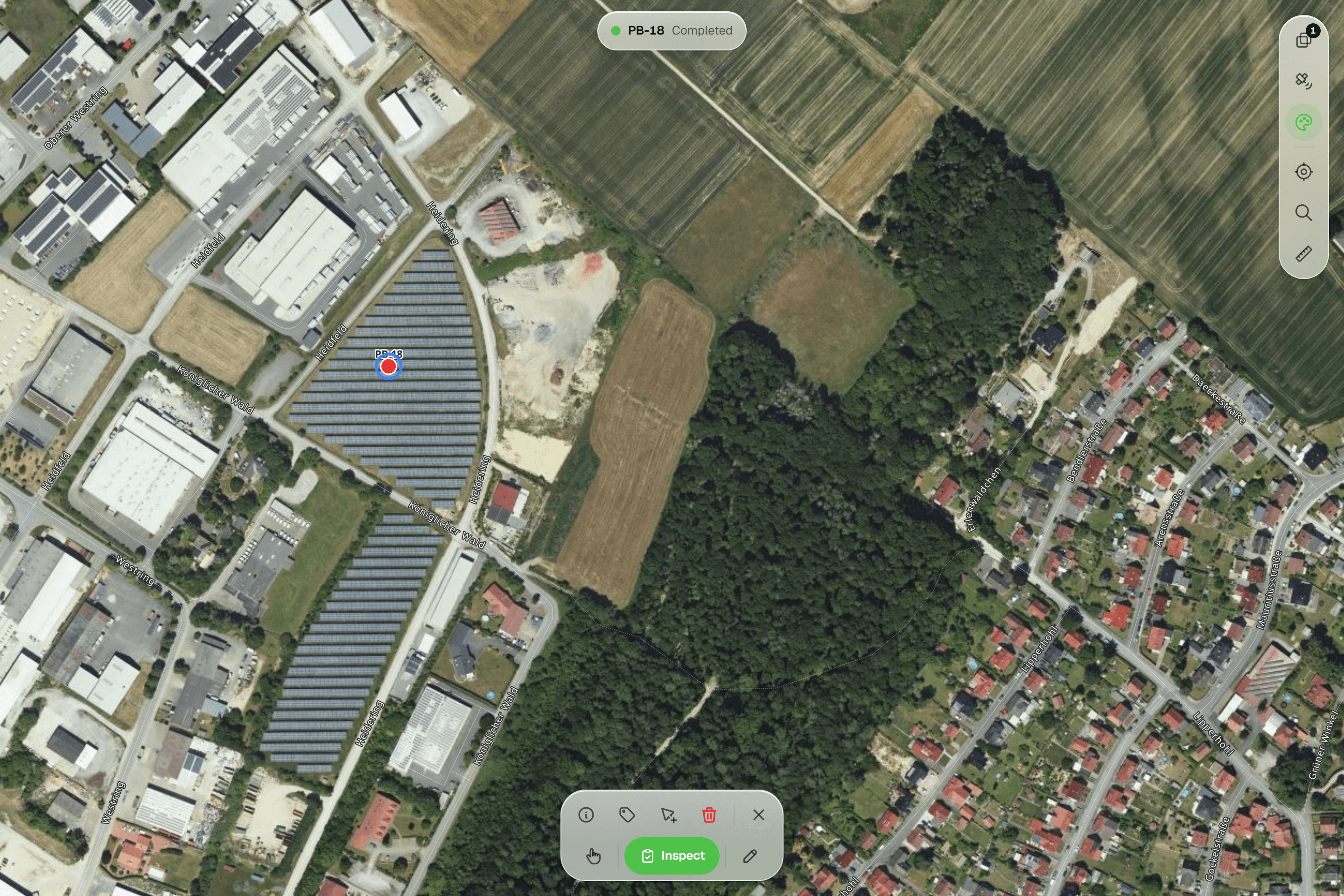
In a spreadsheet, finding the right row in the field means scrolling and searching by number. In Geocadra the round is on a map over aerial photos, coloured by status: open, in progress, done. Tap the asset in front of you and its form opens. Points that sit in the wrong place are moved under a crosshair against the aerial photo or your client's drawing.


02A grid that works like Excel
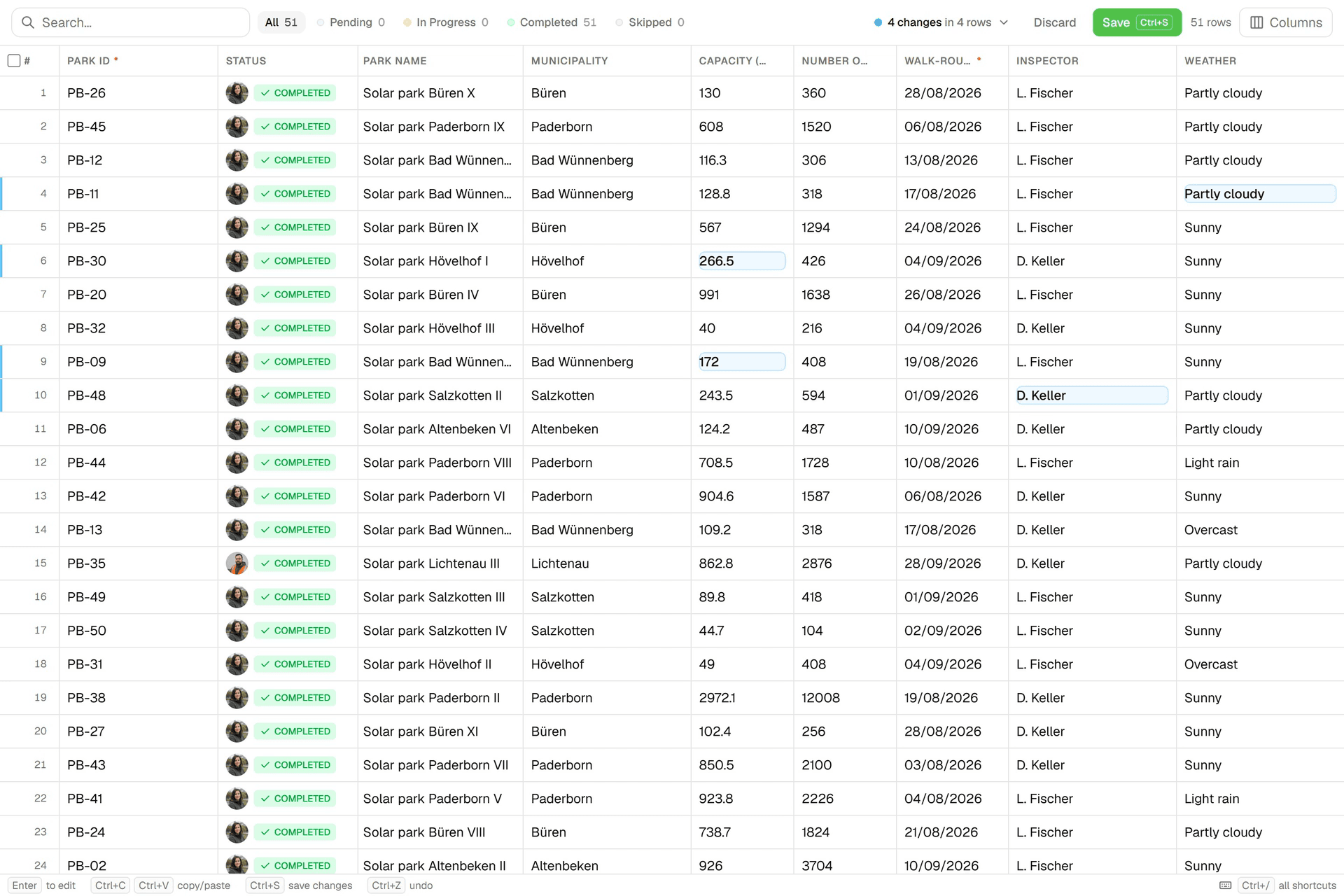
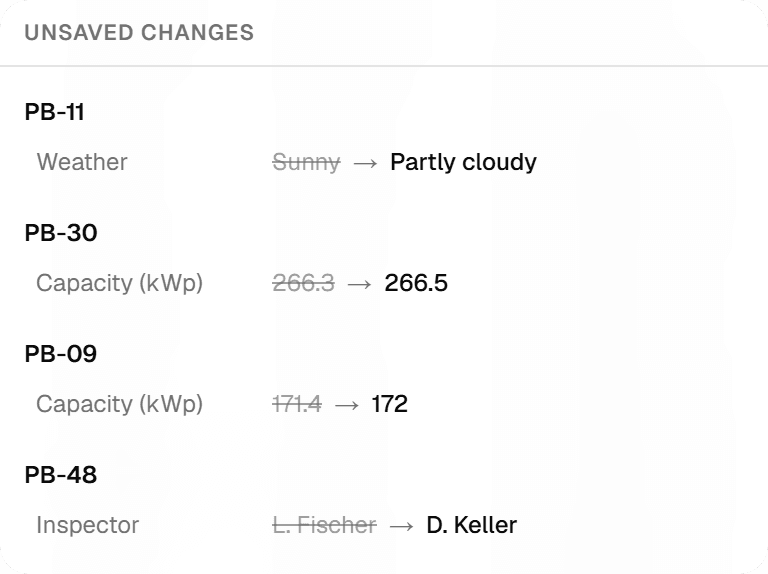
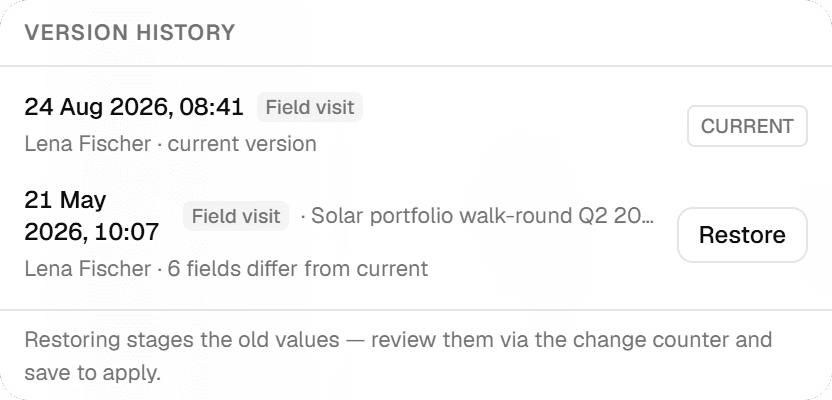
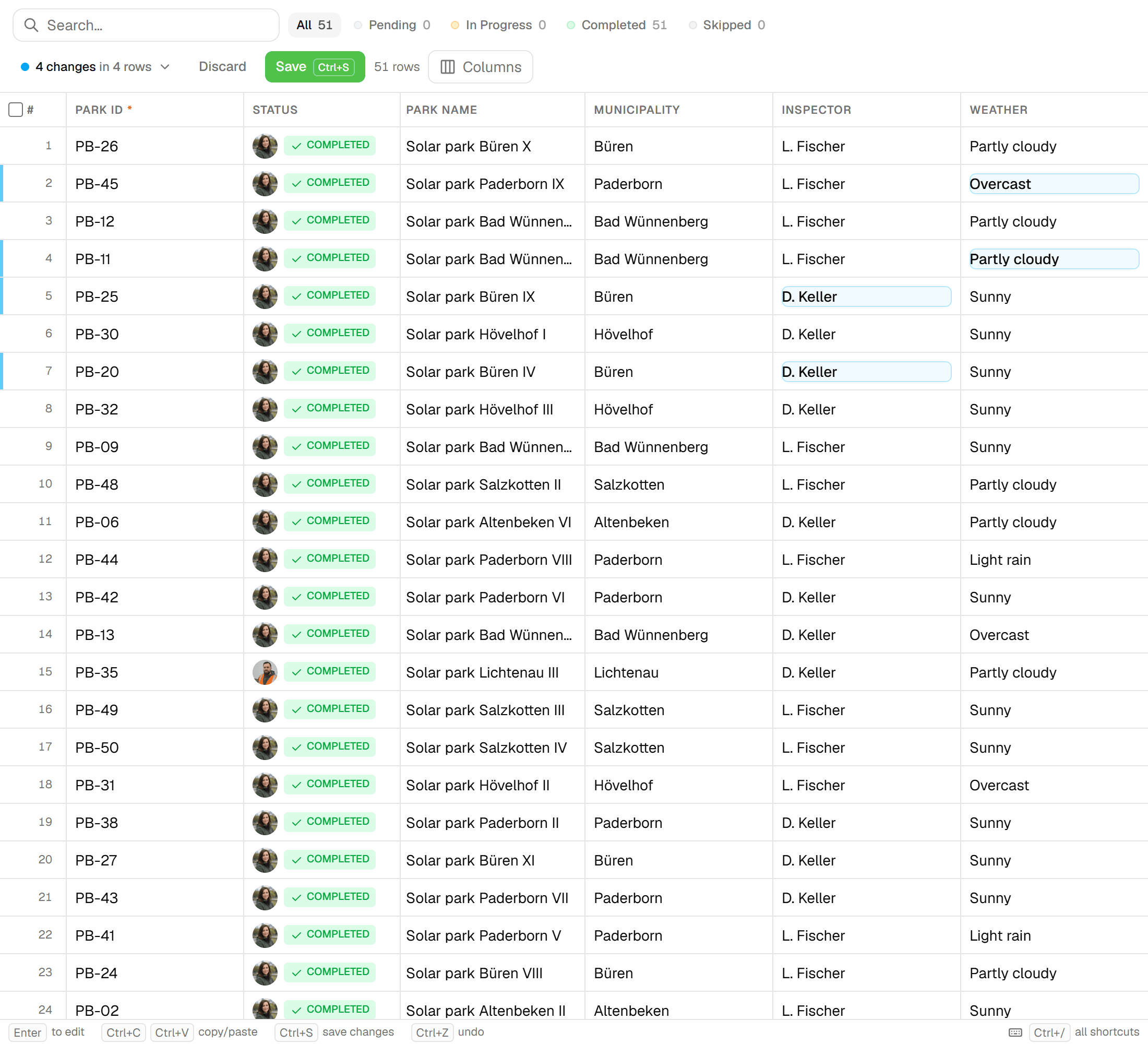
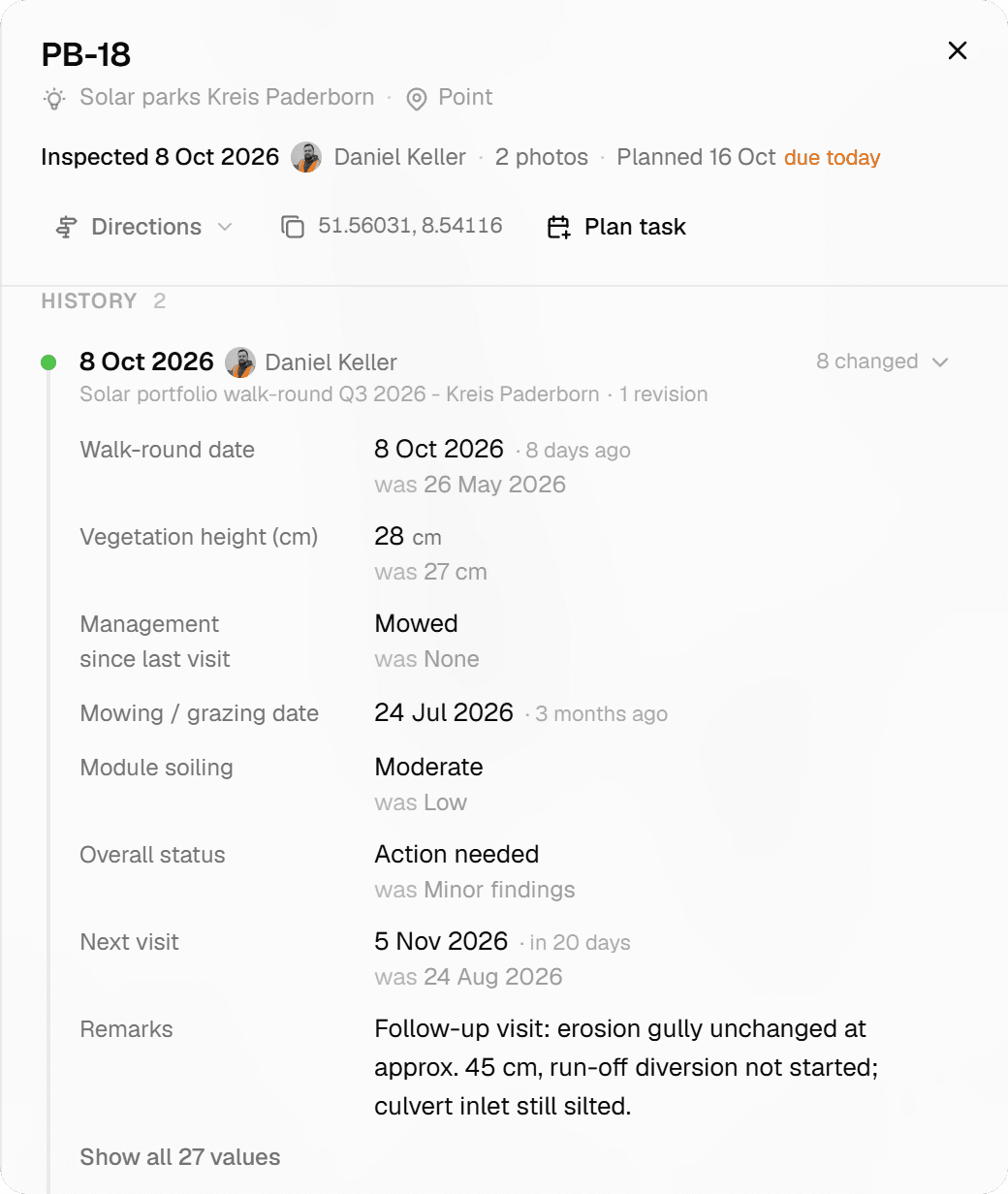
The office still gets a spreadsheet. Every layer has a grid view: paste a block from Excel, fill down, filter and bulk-edit. Before anything is saved, a review lists every changed cell, old value against new. Each save lands in the row's version history, so a bulk edit that went wrong is restored, not retyped.
03Photos belong to the record
No more IMG_4523.jpg in a folder and a note in column K. An image field in the form holds up to five photos per question, saved with the inspection. Reports print them uncropped and every data export links them, so a photo cannot end up next to the wrong asset.
04Forms that refuse a half-filled row
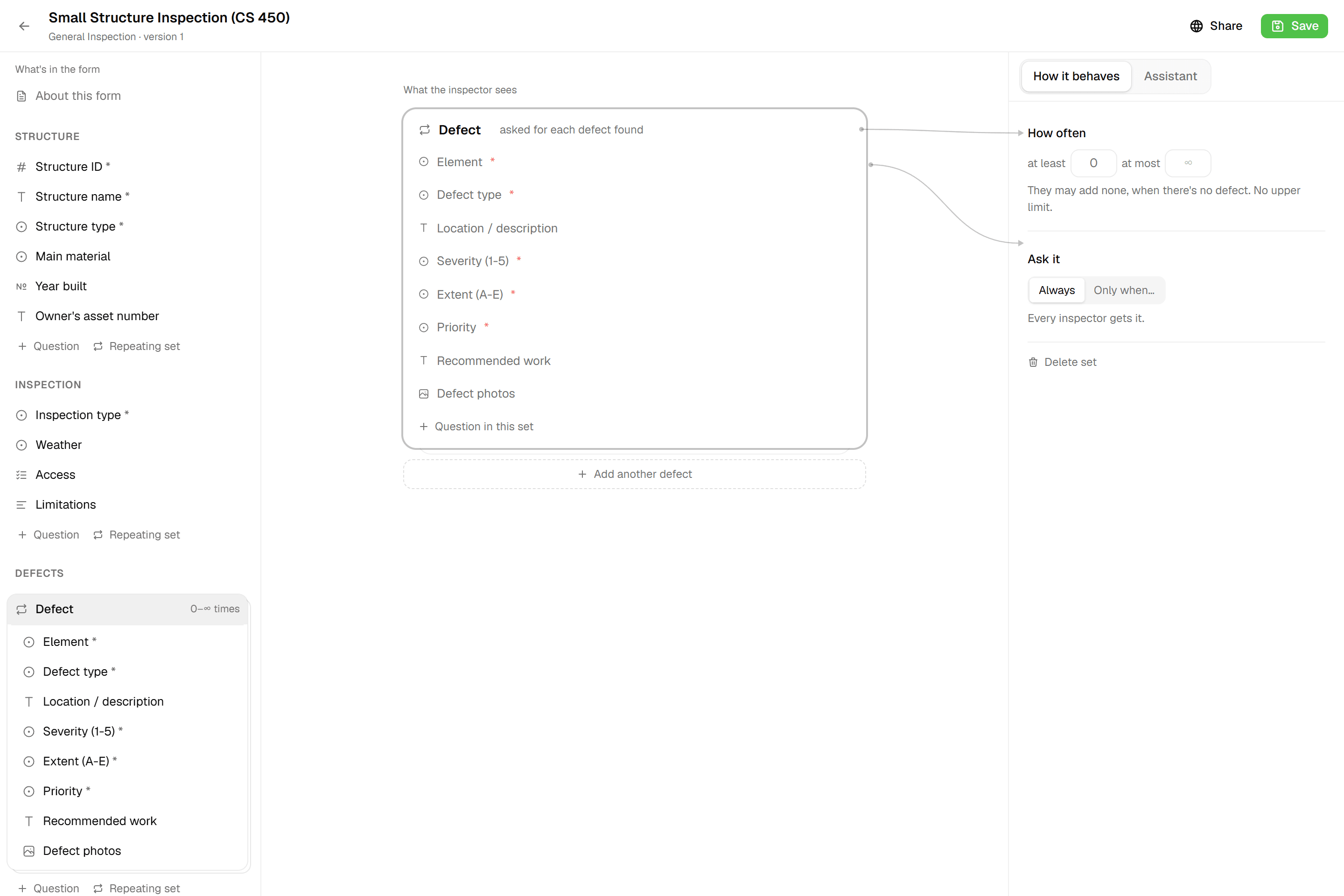
A spreadsheet accepts anything in any cell. A Geocadra form has twelve field types, required fields, number limits and conditional questions that are only asked when they apply. Computed fields score the condition while you type. The form will not submit until the record is complete, and an asset only turns green when it is.
05The report and the drawing come from the same data
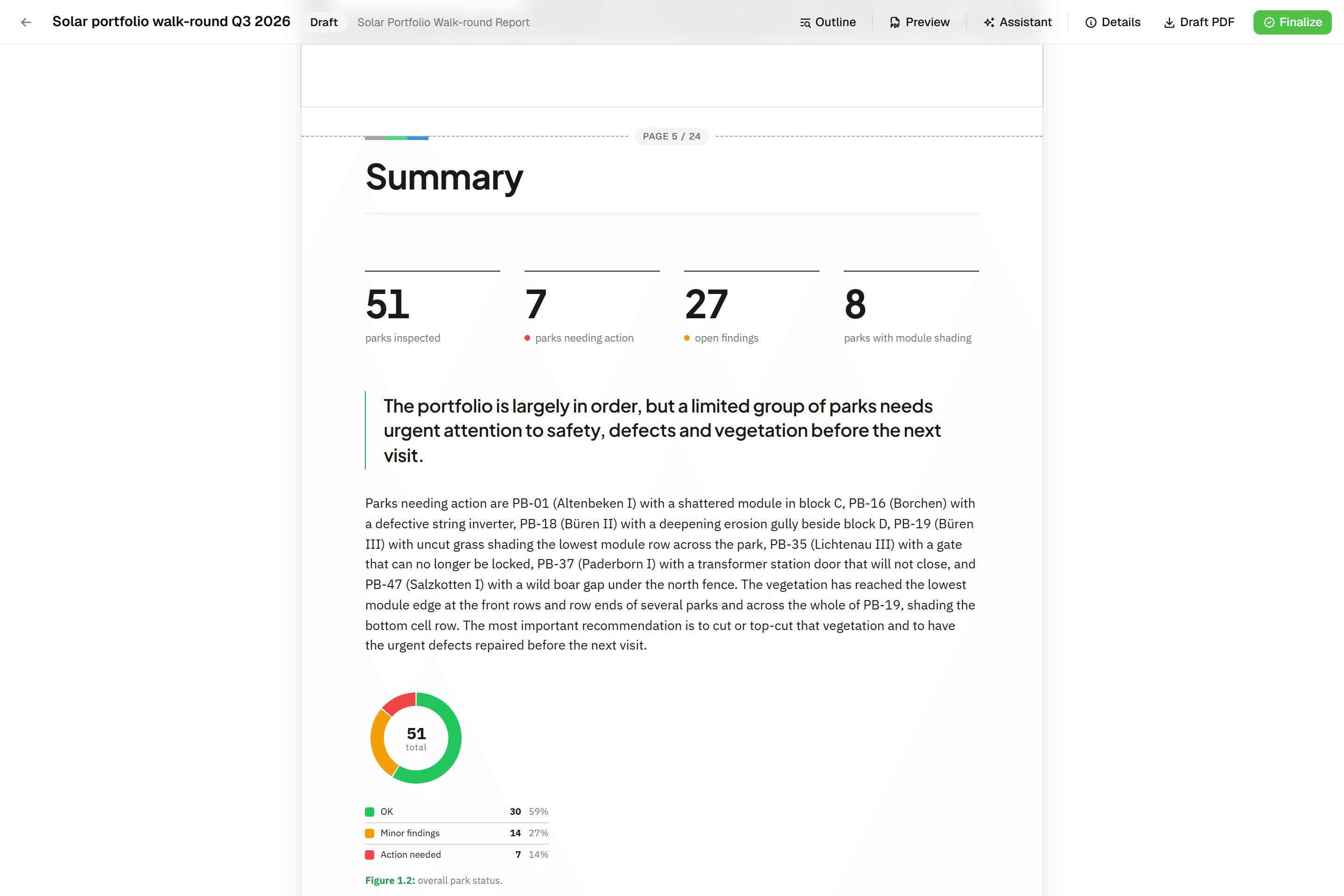
After the round, the spreadsheet is the start of a long afternoon in Word. In Geocadra a report is built from blocks that read the inspection data: tables, photo appendices and map figures. Finalise it to a PDF, and export a DXF drawing for a client who works in CAD. The .xlsx is still one click away.
Fair to say
What Excel does well
Excel is the most widely used data tool there is. Everyone in the office can open it, it calculates anything, and pivot tables and charts answer most questions about a finished round. Microsoft 365 adds co-authoring through OneDrive or SharePoint, version history of the file, data validation lists and mobile apps for iOS and Android. For analysis and for small, one-person jobs it is hard to beat. What it lacks is the field: there is no map, no form that knows which asset you are standing at, and nothing that ties a photo to a row.
- Made by
- Microsoft, United States
- Runs on
- Windows, macOS, web, iOS and Android
- Pricing
- Included in Microsoft 365
- Data hosting
- Wherever the file is saved
The reality
Where Excel gets in the way
What a contractor runs into when client rounds run on it.
Which file is the real one?
A copy per inspector, merged at night, or one shared file that only works with a connection. Either way, someone ends up checking whose value is right.
One live copy for the whole team.
Photos live in another folder
Matching photos to rows happens afterwards, by file name and memory. One wrong match and a report shows the wrong asset.
Photos saved with the inspection.
Small cells on a small screen
Excel runs on a phone, but a wide sheet with forty columns is not built for one hand and a glove.
A form made for one hand.
Coordinates are just two more columns
Without a map, a location is a number someone typed or copied. Nobody sees the point that landed in the wrong street until the client does.
Every asset placed on the map.
In practice
Excel and Geocadra on the same job

Street-lighting round with four inspectors
Four inspectors check lamp posts across a district for a municipality and send a condition report at the end of each month.
With ExcelEach inspector keeps a copy of the sheet and a photo folder. At the end of the day the copies are merged and photos renamed to post numbers. The monthly report is written in Word from a filtered export.
With GeocadraAll four work in one project on the map; each post turns green when its form is submitted with photos. The project overview shows the pace. The monthly report's tables and photo appendix read the latest inspections, and the client downloads the PDF as a free viewer.
Taking over a client's asset register
A client hands over 3,000 trees as a spreadsheet with coordinates and asks for this year's inspection.
With ExcelThe sheet gets new columns for this year's findings, the old values are overwritten, and last year's answers are only in last year's file.
With GeocadraSave the sheet as CSV and import it: the coordinate columns put every tree on the map. This year's inspection is a new record on each tree, so last year's stays on file with who recorded it and when.

Decision guide
Geocadra or Excel?
Choose Geocadra if you…
- Inspect assets that have a place on a map
- Have more than one person collecting at a time
- Need photos tied to the right record
- Deliver a report or a CAD drawing to the client
Choose Excel if you…
- Work alone on a short list without locations
- Mostly analyse data rather than collect it
- Need pivot tables and charts more than field forms
Pricing
Excel pricing vs Geocadra
Excel comes with Microsoft 365, which most offices already pay for. The cost of using it for field rounds is the time spent around it.
- Geocadra
From €49 per seat a month
- Client viewers free: 2 to 10 per seat
- Reports and DXF export included (DXF from Pro)
- 2 months free on annual billing
- Excel
Included in Microsoft 365
- Merging copies by hand
- Matching photos to rows afterwards
- Writing every report from scratch
Switching
From spreadsheet to Geocadra
Save your sheet as CSV and import it: columns named lat and lon, x and y, or a WKT geometry column put every row on the map, and the other columns come along as attributes. Build the form for the next round, and keep using Excel for analysis with a one-click .xlsx export with typed columns.
Questions
Geocadra vs Excel: questions
Can I still get my data in Excel?
Yes. The Excel export writes an .xlsx with typed columns, so numbers stay numbers and dates stay dates. CSV, GeoJSON, Shapefile, GeoPackage and DXF are there too.
Can I import my existing spreadsheet?
Yes, as CSV. Save the sheet as CSV first: columns named lat, lon, x, y, latitude or longitude, or a WKT geometry column, place each row on the map. Excel files are not read directly. See importing data.
Can I paste data from Excel into Geocadra?
Yes. The grid view of a layer accepts a pasted block from Excel, fills down and bulk-edits. You review every changed cell before saving, and each save is kept in the row's version history.
Can Geocadra calculate like a spreadsheet?
Within a form, yes. Computed fields use +, -, * and / with functions such as round, min, max, clamp and midpoint, plus lookup tables with up to three keys, for scores and classes. For pivot tables and charts, export to Excel.
Does it work without signal?
Yes, in the mobile app. It saves inspections and photos on the device without signal and sends them when it is back. The web app needs a connection.
Why pay for Geocadra when Excel is already paid for?
Because the spreadsheet is not where the time goes. It goes into merging copies, matching photos and writing reports. Count those hours on your last round and compare them with a seat from €49 a month, with client logins free, 2 to 10 per seat.
See Geocadra next to Excel
Run one real round in Geocadra during the 14-day trial and compare for yourself. No credit card needed.
No credit card requiredFree trial included