QGIS and QField alternative
Geocadra vs QGIS
Keep QGIS for analysis and map production. Run the field rounds, the client logins and the report in Geocadra.
The verdict
Geocadra vs QGIS in short
QGIS is excellent desktop GIS and free. Field rounds on QGIS mean a project file, QField or another app, and someone who keeps it all running. Geocadra runs the round in the browser and the mobile app, and hands QGIS a GeoPackage when the analysis starts.
We like QGIS, and many of our users keep it. The question is who sets up and maintains the field side. With QGIS that is a project file with layers and forms, a mobile app such as QField or Mergin Maps, a way to sync, and a person who understands all three. Geocadra puts the same round in a browser: import the layers, build the form, invite the crew and the client. Export a GeoPackage back to QGIS whenever you need it.
Side by side
Geocadra vs QGIS, feature by feature
| Feature | Geocadra | QGIS | |
|---|---|---|---|
| A separate workspace per client | Yes | Partly | QGIS has no client concept; QFieldCloud organizations each have their own billing |
| Free logins for your clients | Yes | No | No hosted client access in QGIS itself |
| No GIS specialist needed | Yes | No | Built for GIS users |
| No desktop software | Yes | No | Projects and forms are set up in QGIS desktop |
| Your client's DXF or DWG on the map | Yes | Yes | Opens DXF and DWG on the desktop |
| Forms with formulas and conditional questions | Yes | Yes | Attribute forms with constraints, expressions and conditional visibility |
| Photos stored with the record | Yes | Separate app | Photos are taken in QField or Mergin Maps |
| Every inspection kept, with who and when | Yes | By hand | Repeat inspections need a related table you design |
| PDF reports built from the data | Yes | Partly | Print layouts and atlas; written reports happen elsewhere |
| CAD drawing (DXF) export | Pro and up | Yes | Both: QGIS exports DXF from the desktop |
| Shapefile, GeoPackage and GeoJSON export | Yes | Yes | Both: GeoPackage, Shapefile and GeoJSON |
| Capture without signal | Yes | Separate app | QField and Mergin Maps work offline; so do Geocadra's mobile apps |
| Mobile apps | iOS and Android | Separate app | QField runs on Android, iOS, Windows, macOS and Linux |
The QGIS column was checked on October 12, 2026 against its public pages: product site, pricing, platforms, reports.
Why switch
Why teams choose Geocadra over QGIS
No project file to build and ship
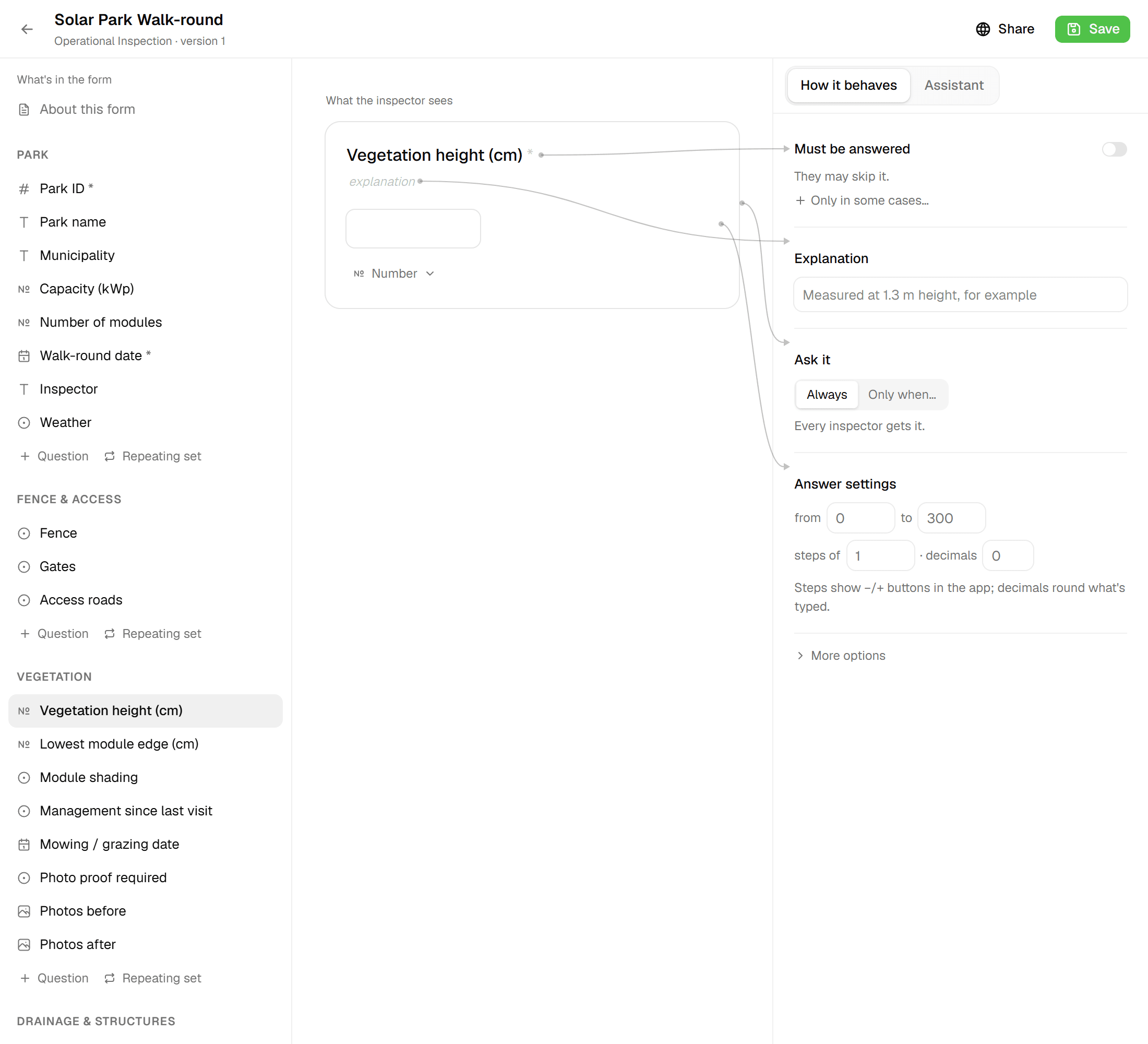
Field work on QGIS starts on the desktop: layers, styles and forms in a project file, packaged for QField or synced through Mergin Maps. Change a form and the project goes out again. In Geocadra the project lives in the browser, with nothing to package or sync. Edit a form there and save it as a new version: new projects use it, and running projects keep the version they started with, so their data never changes shape.
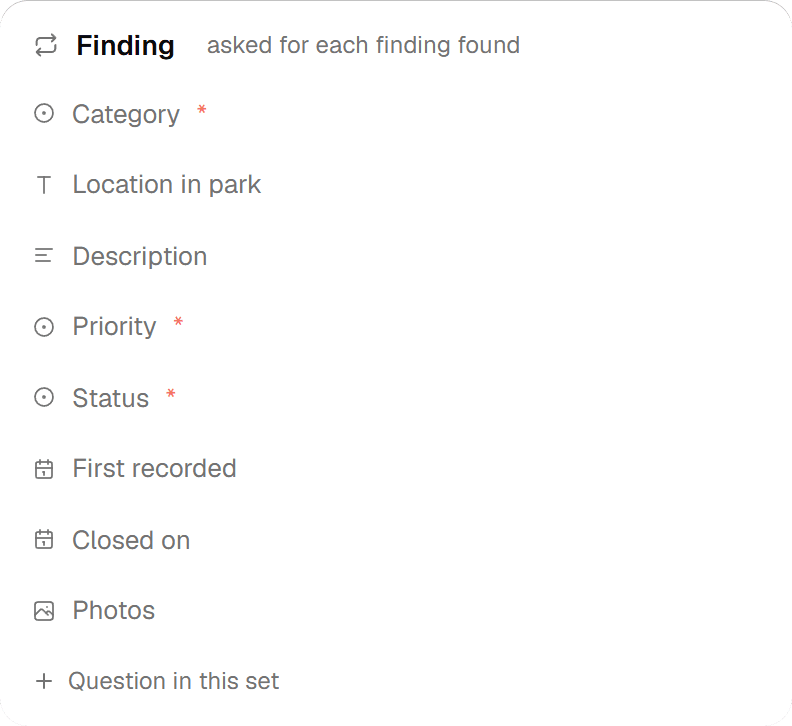
02Clients get a login, not a file
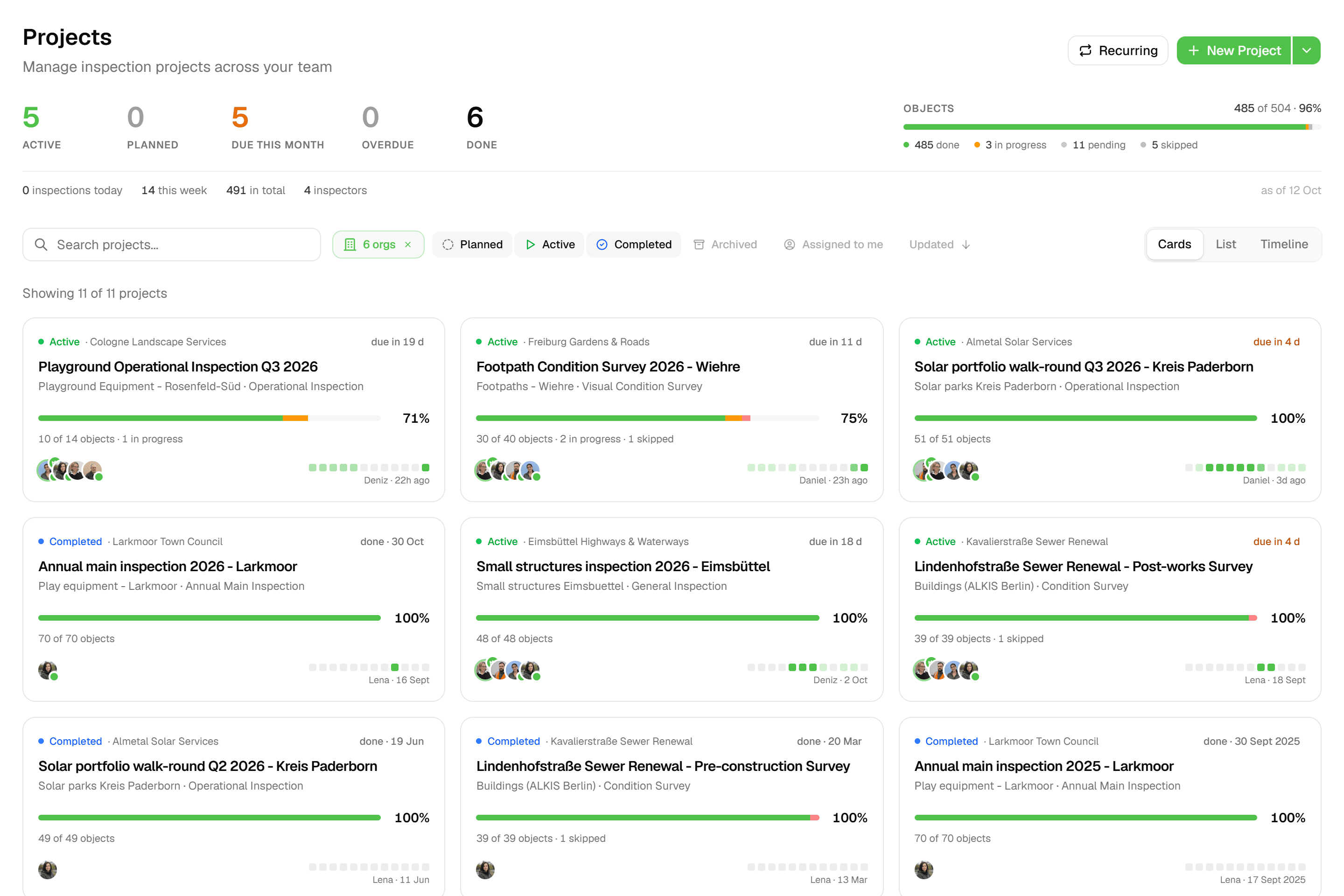
QGIS has no notion of a client. Results go out as files and screenshots. In Geocadra each client is an organization with its own projects and logo, and client contacts log in as viewers at no cost. They follow progress on the map and download the report and the exports themselves.
03Every round stays on the asset
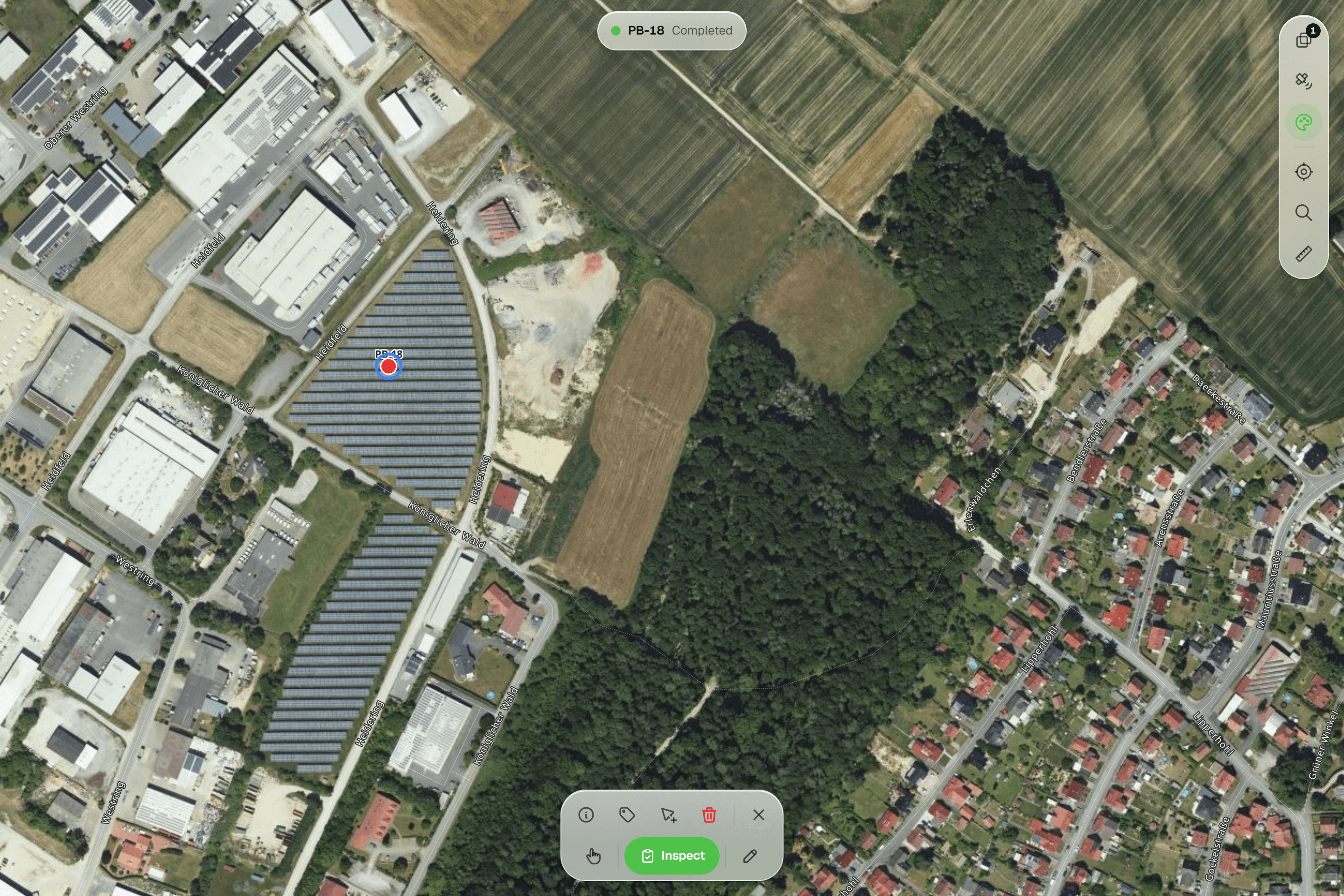
Recording a second inspection of the same tree in QGIS means designing a related table and keeping it consistent. In Geocadra every submission is a new record on the feature, with who and when. This year's round never overwrites last year's, and the history shows each field across rounds.
04The report is part of the project
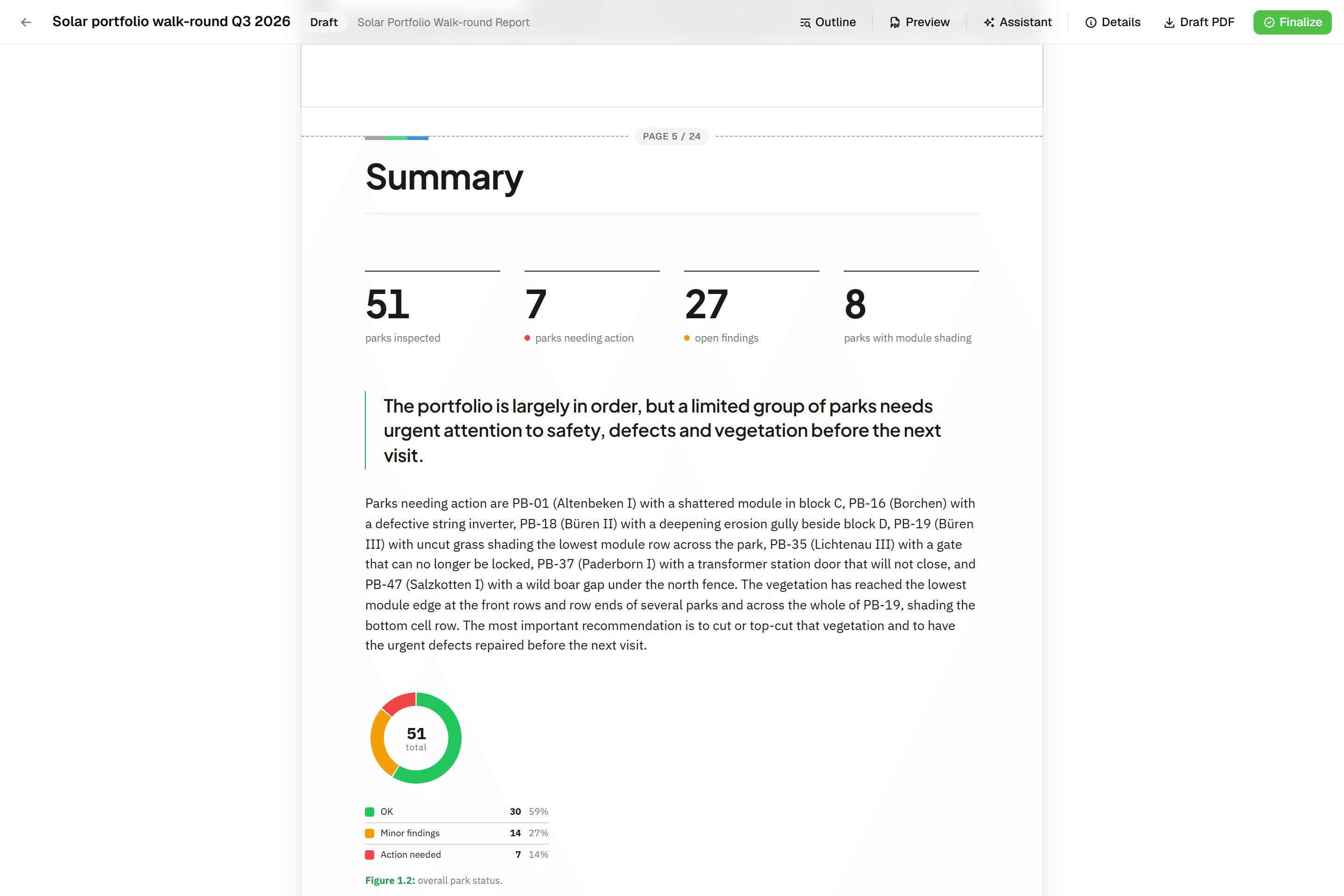
QGIS print layouts make beautiful maps, but the inspection report still gets written in Word. A Geocadra report is built from blocks that read the inspection data: tables, photo appendices and map figures at a fixed scale. It finalises to a PDF with real page numbers and can be revised as rev. B.
05QGIS keeps doing what it does best
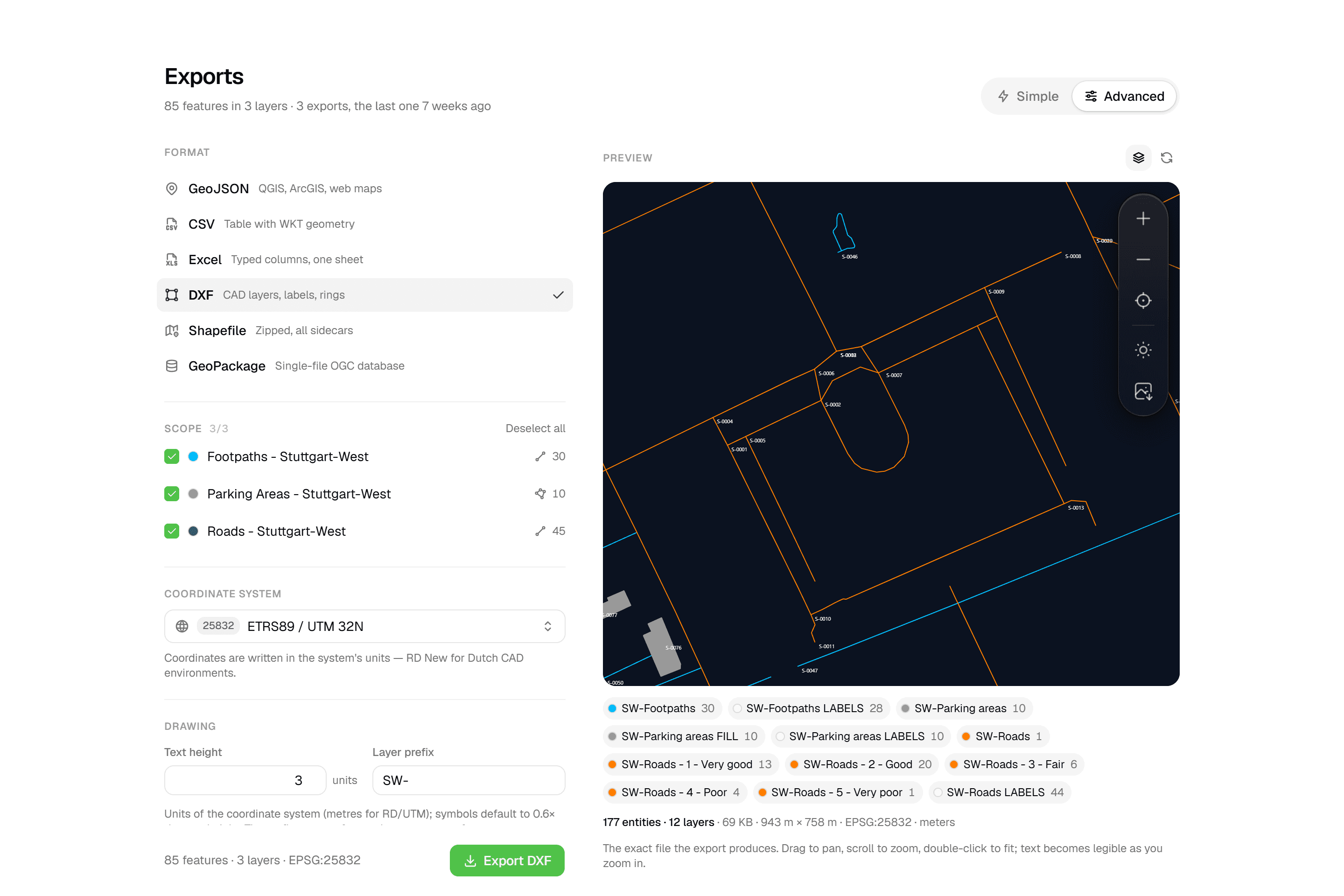
Geocadra reads GeoPackage, Shapefile, GeoJSON, KML, CSV and DXF or DWG, and exports GeoPackage, Shapefile, GeoJSON, CSV, Excel and a layered DXF. Spatial analysis, cartography and data that never leaves the office stay in QGIS, which reads Geocadra's exports without conversion.
Fair to say
What QGIS does well
QGIS is the leading open-source desktop GIS, maintained by a large international community and free to use on Windows, macOS and Linux. It edits almost any spatial format, opens DXF and DWG, exports DXF, and its print layouts and atlas produce professional map series. Its attribute forms support constraints, default values from expressions and fields that show only when they apply. For field collection it relies on companion apps such as QField or Mergin Maps, which open a QGIS project on a phone or tablet.
- Made by
- The QGIS project, open source
- Runs on
- Windows, macOS and Linux; QField on mobile
- Pricing
- Free; QFieldCloud from €18 per user a month
- Data hosting
- Your own files; QFieldCloud in Switzerland
The reality
Where QGIS gets in the way
What a contractor runs into when client rounds run on it.
Someone has to own the setup
Project files, layer styles, forms, a mobile app and sync all need setting up. When the person who built it is away, the field team waits.
Set up in the browser, no project files.
Form changes go back through the desktop
A new question means editing the project in QGIS and getting it onto every device again.
Forms change in the browser.
No place for the client
There are no client accounts. Progress and results leave as files, PDFs and screenshots.
Each client gets a login and logo.
Repeat rounds need a data model
Keeping every inspection of an asset, instead of overwriting the last one, takes a related table that someone designs and maintains.
Every inspection kept, with who and when.
In practice
QGIS and Geocadra on the same job
Contractor without a GIS specialist
A paving contractor needs to record road condition for three municipalities and has nobody who works in QGIS.
With QGISSomeone learns QGIS, builds a project with layers and forms, sets up QField and a way to sync, and becomes the person everyone calls when it breaks.
With GeocadraEach municipality is an organization. Import their road network, build the form in the browser, invite the crew. The municipality's contact logs in as a free viewer and downloads the PDF report.
Consultancy with one GIS analyst
An environmental consultancy has one GIS analyst and eight field ecologists working on several sites.
With QGISThe analyst spends much of the week preparing QField projects, fixing sync issues and merging data, and little of it on analysis.
With GeocadraThe ecologists collect in Geocadra on their own. The analyst exports a GeoPackage per site into QGIS for the analysis and the map series, and spends the week on that.
Decision guide
Geocadra or QGIS?
Choose Geocadra if you…
- Run field rounds without a GIS specialist
- Want clients to log in and see their own data
- Need every inspection kept, with who and when
- Deliver a PDF report or a DXF with each round
Choose QGIS if you…
- Do spatial analysis and map production
- Have GIS staff who maintain QGIS projects
- Want free, open-source software end to end
Pricing
QGIS pricing vs Geocadra
QGIS is free. The cost of running field rounds on it is the setup, the sync and the person who maintains them.
- Geocadra
From €49 per seat a month
- Client viewers free: 2 to 10 per seat
- Reports and DXF export included (DXF from Pro)
- 2 months free on annual billing
- QGIS
Free (open source)
- Time to build and maintain project files
- QFieldCloud sync from €18 per user a month
- A GIS specialist on call for the crew
Switching
Using Geocadra with QGIS
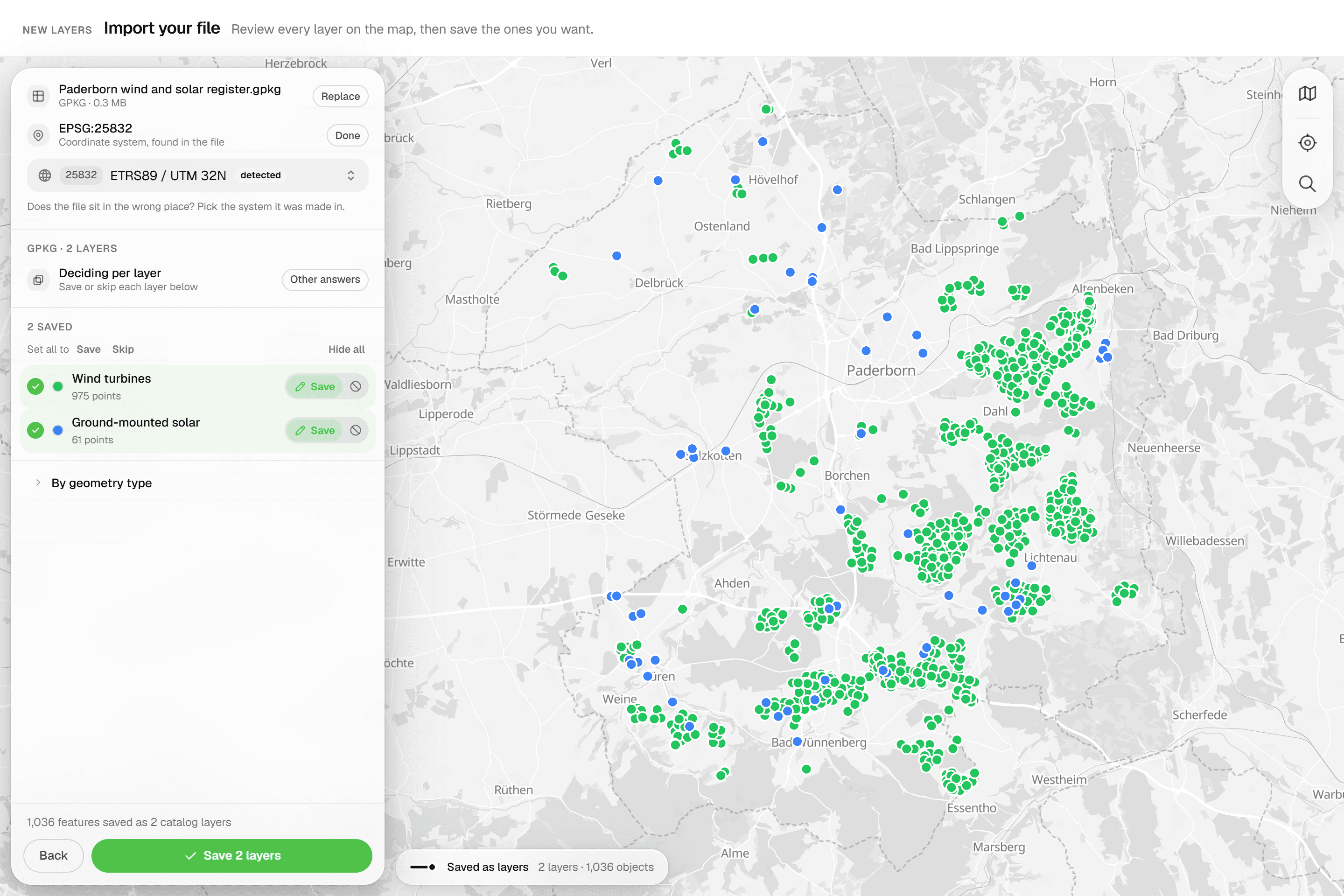
There is nothing to migrate away from: QGIS stays. Import your GeoPackage, Shapefile or DXF into Geocadra to inspect it, rebuild the attribute form in the form editor, and export a GeoPackage back to QGIS when the round is done. We help with the first project at no cost.
Questions
Geocadra vs QGIS: questions
Does Geocadra replace QGIS?
No. QGIS is desktop GIS for analysis and cartography; Geocadra runs field rounds, client access and reports. Many teams use both: collect in Geocadra, analyse in QGIS.
Which formats move between Geocadra and QGIS?
Geocadra exports GeoPackage, zipped Shapefile, GeoJSON, CSV, Excel and DXF, all of which QGIS opens without conversion. It imports GeoPackage, Shapefile, GeoJSON, KML, GPX, GML, CSV, FlatGeobuf and DXF or DWG.
How does Geocadra compare to QField?
QField is a capable, free app for taking a QGIS project into the field, and a good fit when your team already builds QGIS projects. Syncing through QFieldCloud starts at €18 per user a month, hosted in Switzerland. Geocadra needs no project file: layers, forms and the team are set up in the browser, and clients log in to see their own data.
Can I work on top of my client's CAD drawing?
Yes. Drop a DXF or DWG on the project map: linework and texts become a reference you can snap to, and point layers can become features to inspect. On export, the drawing can travel with your data in a layered DXF.
QGIS is free. Why pay for Geocadra?
Because the software is not where the cost of field rounds sits. It sits in building and maintaining projects, syncing devices, and turning the data into a report for the client. A Geocadra seat starts at €49 a month, with free client logins, 2 to 10 per seat.
Does Geocadra work offline like QField?
Yes, in the mobile app. It saves inspections and photos on the device without signal and sends them when it is back. The web app needs a connection. For long days fully offline with large offline basemaps, QField is the stronger choice today.
See Geocadra next to QGIS
Run one real round in Geocadra during the 14-day trial and compare for yourself. No credit card needed.
No credit card requiredFree trial included